


Trading Indicator
Using Alligator Indicator in Automated Trading
Alligator uses three smoothed moving averages to separate trending and sideways market conditions. Learn how to translate its line relationships into no-code strategy rules in Tradeworks.

Understanding Alligator Indicator
Alligator is a trend-following indicator consisting of the three smoothed moving averages (default settings 5,8 and 13 periods). The indicator aims to identify the periods when the price of the instrument is trending in either direction. When the three lines are stretched apart and all moving in the same direction, it is an indication of the instrument being in the trending market. Intertwined lines mean the sideways market.
Source: Tradeworks Indicator Documentation
The Alligator indicator uses three smoothed moving averages to show whether a market is trending or moving sideways. The faster line reacts first, while the slower lines provide trend context.
In automated trading, the visual Alligator setup should be translated into explicit rules. For example, bullish alignment can be expressed as Alligator Lips above Teeth and Teeth above Jaw. Bearish alignment reverses the order.
Bill Williams Alligator Indicator
Developed by Bill Williams, the Alligator indicator is part of a comprehensive technical analysis approach that includes other tools like Awesome Oscillator and Fractals. In Tradeworks, you can recreate Williams' original logic or adapt it to your own automated trading rules.
Key takeaway
Alligator helps separate trending and sideways market conditions. In Tradeworks, convert the visual line relationship into simple rules such as Lips > Teeth > Jaw for bullish alignment or Lips < Teeth < Jaw for bearish alignment.
Alligator Indicator Trading Strategy 1: Trend Alignment
Use Alligator line ordering to identify trend direction and avoid entries when lines are mixed.
Setup
- Add the Alligator indicator.
- Use the default 5, 8, and 13 period settings from the CSV documentation.
- Optional: add ADX as a trend-strength filter.
- Optional: add ATR for exit distances.
Trade Management
- Open Position Buy Signal: Strategy symbol ASK price is greater than Alligator Lips AND Alligator Lips is greater than Alligator Teeth AND Alligator Teeth is greater than Alligator Jaw.
- Open Position Sell Signal: Strategy symbol BID price is less than Alligator Lips AND Alligator Lips is less than Alligator Teeth AND Alligator Teeth is less than Alligator Jaw.
- Stop Loss Exit Signal, long: Strategy symbol BID price is less than entry price minus 2x ATR.
- Take Profit Exit Signal, long: Strategy symbol BID price is greater than entry price plus 3x ATR.
- Stop Loss Exit Signal, short: Strategy symbol ASK price is greater than entry price plus 2x ATR.
- Take Profit Exit Signal, short: Strategy symbol ASK price is less than entry price minus 3x ATR.

Strategy 1: The line order provides the trend filter before entries are allowed.
Alligator Indicator Trading Strategy 2: Lips/Teeth Crossover
Use the faster Lips line crossing the Teeth line as an entry timing rule, while Jaw provides slower trend context.
Setup
- Add the Alligator indicator.
- Use Lips/Teeth cross for entry timing.
- Use Teeth/Jaw relationship as the trend context filter.
Trade Management
- Open Position Buy Signal: Alligator Lips crosses from below to above Alligator Teeth AND Alligator Teeth is greater than Alligator Jaw.
- Open Position Sell Signal: Alligator Lips crosses from above to below Alligator Teeth AND Alligator Teeth is less than Alligator Jaw.
- Avoid Entry Rule: Avoid entries when Lips, Teeth, and Jaw are mixed or tightly intertwined. In automation, require clear ordering before entry.
- Stop Loss Exit Signal: Use ATR-based distance from entry, using BID for long exits and ASK for short exits.
- Take Profit Exit Signal: Use ATR multiple or tested fixed target, using BID for long exits and ASK for short exits.

Strategy 2: Lips/Teeth cross gives timing; Jaw provides slower trend context.
Alligator Indicator Trading Strategy 3: Awesome Oscillator Confirmation
Combine Alligator trend alignment with Awesome Oscillator momentum confirmation.
Setup
- Add the Alligator indicator.
- Add Awesome Oscillator.
- Use Alligator for market state and direction.
- Use Awesome Oscillator zero-line cross for momentum confirmation.
Trade Management
- Open Position Buy Signal: Alligator Lips is greater than Alligator Teeth AND Alligator Teeth is greater than Alligator Jaw AND Awesome Oscillator crosses from below to above zero.
- Open Position Sell Signal: Alligator Lips is less than Alligator Teeth AND Alligator Teeth is less than Alligator Jaw AND Awesome Oscillator crosses from above to below zero.
- Stop Loss Exit Signal, long: Strategy symbol BID price is less than entry price minus 2x ATR.
- Take Profit Exit Signal, long: Strategy symbol BID price is greater than entry price plus 2-3x ATR.
- Stop Loss Exit Signal, short: Strategy symbol ASK price is greater than entry price plus 2x ATR.
- Take Profit Exit Signal, short: Strategy symbol ASK price is less than entry price minus 2-3x ATR.

Strategy 3: Alligator filters trend state; Awesome Oscillator confirms momentum direction.
For Bot Developers: Implementation Tips
In Tradeworks, Alligator can be automated by converting the visual line relationship into explicit comparison rules. For bullish alignment, require Lips to be greater than Teeth and Teeth to be greater than Jaw. For bearish alignment, reverse the order.
Implementation checklist
- Use the default 5, 8, and 13 period settings unless testing supports a different setup.
- Translate visual line alignment into operator-ready comparisons.
- Avoid entries when line order is mixed or unclear.
- Use ADX or Awesome Oscillator if you need extra trend or momentum confirmation.
- Keep Stop Loss Exit Signal and Take Profit Exit Signal separate from entry confirmation.
Manageable Beginner Setup
Example setup
- Indicator: Alligator
- Default settings: 5, 8, and 13 periods
- Buy alignment: Lips > Teeth > Jaw
- Sell alignment: Lips < Teeth < Jaw
- Optional trend filter: ADX > 25
- Exit method: ATR-based Stop Loss Exit Signal and Take Profit Exit Signal
Common pitfalls
- Using Alligator as a standalone signal in sideways markets.
- Treating intertwined lines as a clear trade signal.
- Entering on a crossover without checking slower line context.
- Using vague visual descriptions instead of operator-ready rules.
- Forgetting BID for long exits and ASK for short exits.
Questions
Frequently Asked Questions
What is the Alligator indicator?
Alligator is a trend-following indicator made from three smoothed moving averages. It is used to identify whether market conditions are trending or moving sideways.
What do the Alligator lines mean?
The Alligator lines are faster and slower smoothed averages. Their order and separation help describe the market state. A clear order such as Lips above Teeth above Jaw can be translated into automation rules.
What are the default Alligator settings?
The source documentation states that the default Alligator settings are 5, 8, and 13 periods.
How can Alligator be automated in Tradeworks?
Convert visual alignment into explicit comparison rules, such as Lips is greater than Teeth and Teeth is greater than Jaw for bullish alignment, or the reverse order for bearish alignment.
What do intertwined Alligator lines mean?
According to the source documentation, intertwined Alligator lines indicate sideways market conditions. In automation, avoid vague visual interpretation and use measurable line-order or spacing rules.
Can Alligator be used alone?
Alligator can define market state, but automated strategies should still include clear entry rules, Stop Loss Exit Signal logic, Take Profit Exit Signal logic, and optional confirmation filters.
What indicators work with Alligator?
ADX can filter trend strength, Awesome Oscillator can add momentum confirmation, and Average True Range can support exit distances.
Try it in Tradeworks
Want to try Alligator in Tradeworks?
Build and test Alligator rules in a no-code strategy builder before deciding whether they fit your trading approach.
Trend Indicators
Trend indicators help traders identify the direction of market movement. They smooth price data to show whether an uptrend, downtrend, or sideways movement is occurring.

Simple Moving Average
Learn more →

Exponential Moving Average
Learn more →

Parabolic SAR
Learn more →

Heikin Ashi
Learn more →

High Low
Learn more →

Linear Regression
Learn more →

Two Pole Butterworth Filter
Learn more →

Ichimoku Kinko Hyo
Learn more →
Alligator
Learn more →

Envelopes
Learn more →

Doji Arrows
Learn more →
Oscillators
Oscillators are bounded indicators that move between set values. They help identify overbought and oversold conditions, momentum, and potential reversal points.

Relative Strength Index
Learn more →

Relative Momentum Index
Learn more →

Stochastic Oscillator
Learn more →
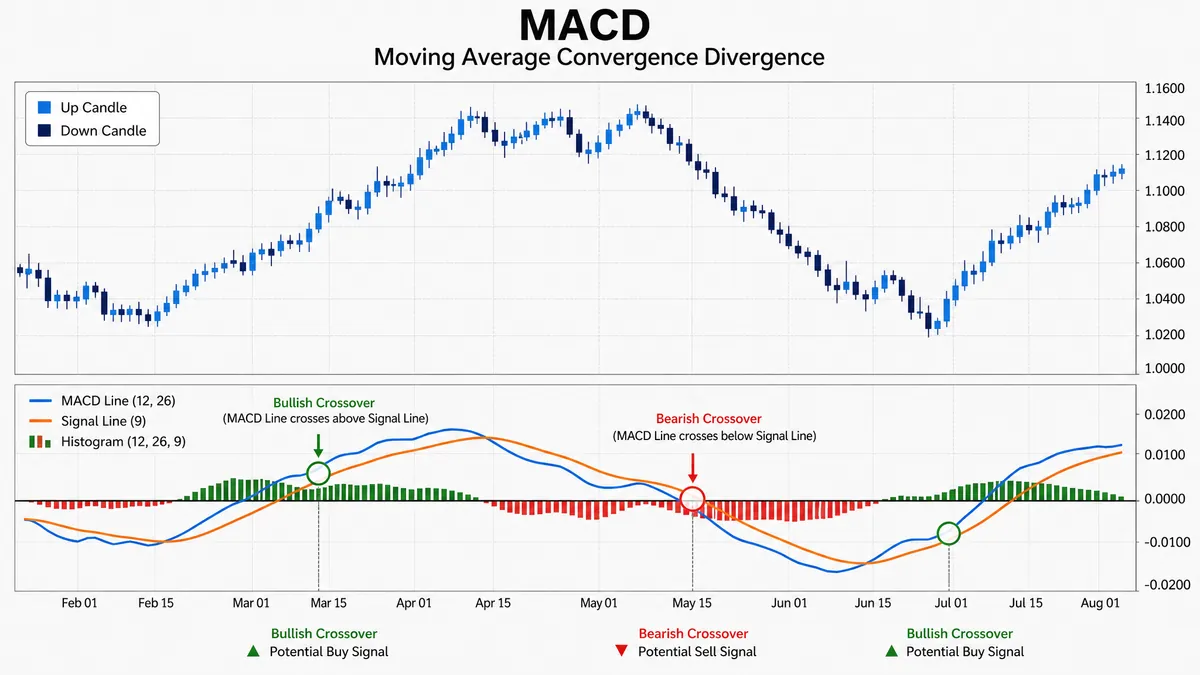
Moving Average Convergence/Divergence
Learn more →

Awesome Oscillator
Learn more →

Accelerator/Decelerator Oscillator
Learn more →

Commodity Channel Index
Learn more →

Relative Vigor Index
Learn more →

Williams' Percent Range
Learn more →

Gator Oscillator
Learn more →

DeMarker
Learn more →

Fisher Transform
Learn more →

Fisher CG
Learn more →

Laguerre RSI
Learn more →

Momentum
Learn more →

Moving Average of Oscillator
Learn more →
Volume Indicators
Volume indicators measure the strength of price movements by analyzing trading volume. They help confirm trends and identify potential reversals.


Volatility Indicators
Volatility indicators measure the rate of price change. They help traders set stop losses, determine risk levels, and identify potential breakouts.


Bill Williams Indicators
A collection of indicators developed by Bill Williams for trend identification, momentum analysis, and fractal pattern recognition.


